The game-changing, all-in-one coaching and fitness app.
Programs, nutrition, check-ins and messages in one app, for coaches, their clients and solo lifters, on a phone and on a computer.
Fourteen days free with every Coach feature, and nothing charged today. After that you pay only if you coach more than three clients; at three or fewer you move to Free.
Founding coaches: $39 a month, forever. Only the first fifty.
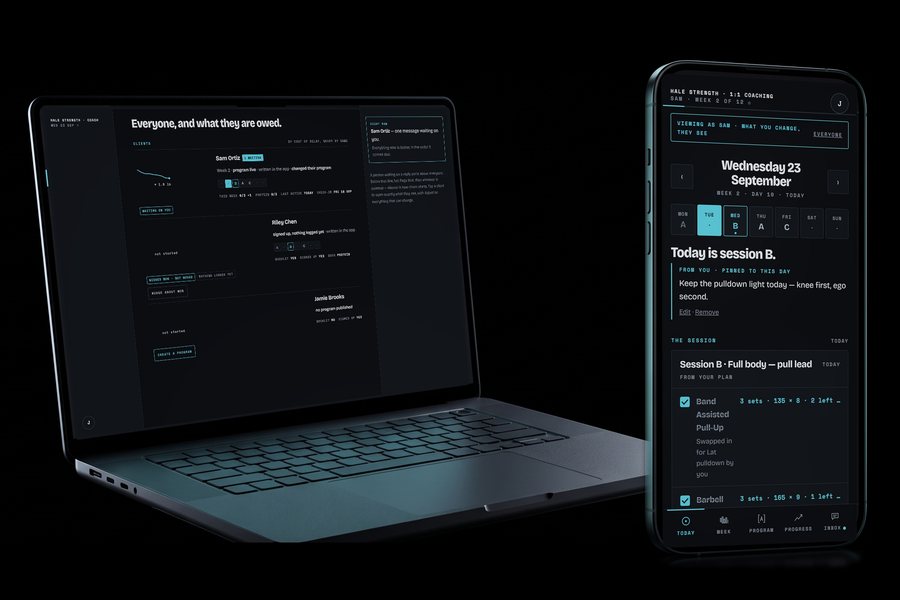
Coach
Your roster on a computer, and a client's day on your phone.
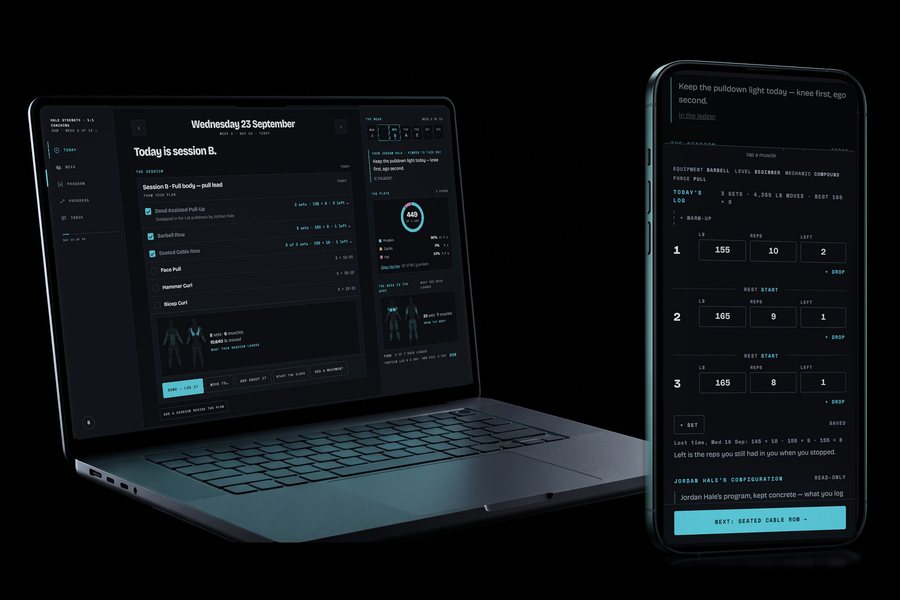
Client
Their day on a computer, and their sets on their phone.
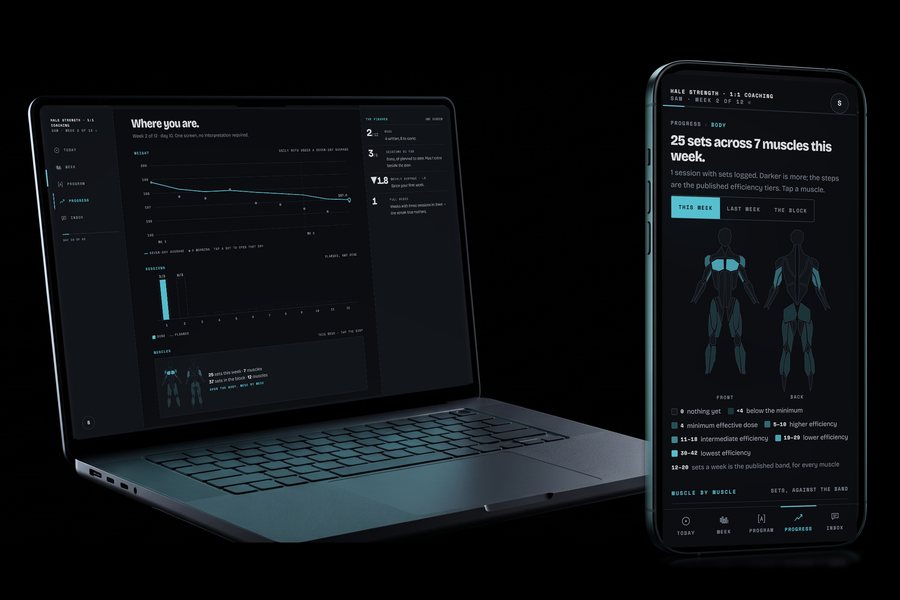
Solo lifter
Their progress on a computer, and the week's muscles on their phone.
The numbers
a month, flat
$49 a month whether you coach four clients or four hundred.
movements
871 of them with written instructions.
Corner's catalogue · Free Exercise DB (public domain, Unlicense)
muscles
Each with a page of its own: what it does, and the week's sets.
Each movement's sets count toward the muscles it works.
nutrients
Each with a target and an explanation, not just a number.
Targets from the National Academies' DRI tables.
foods
And the full nutrient record behind each one.
Open Food Facts and USDA FoodData Central, counted October 19, 2026.
Programs, nutrition, check-ins, messages, documents and the builder. One app, one price, nothing sold separately.
Inside the app
See the whole app, room by room.
Real screens from a demo coach's roster and one client's week. Nothing here is a mockup.
For you, the coach
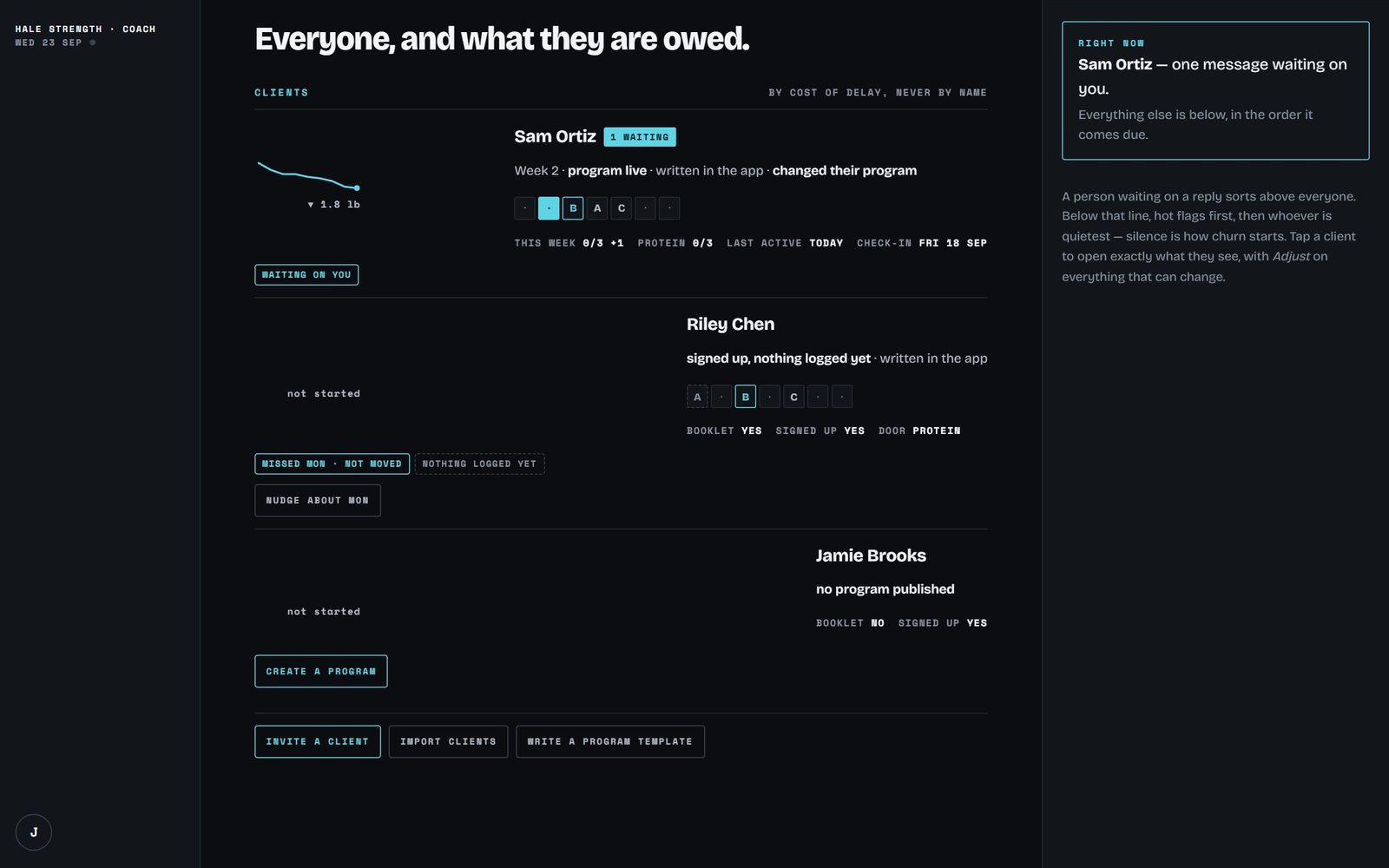
See who needs you first.
Your roster on a computer: everyone, sorted by what they are owed and never by name.
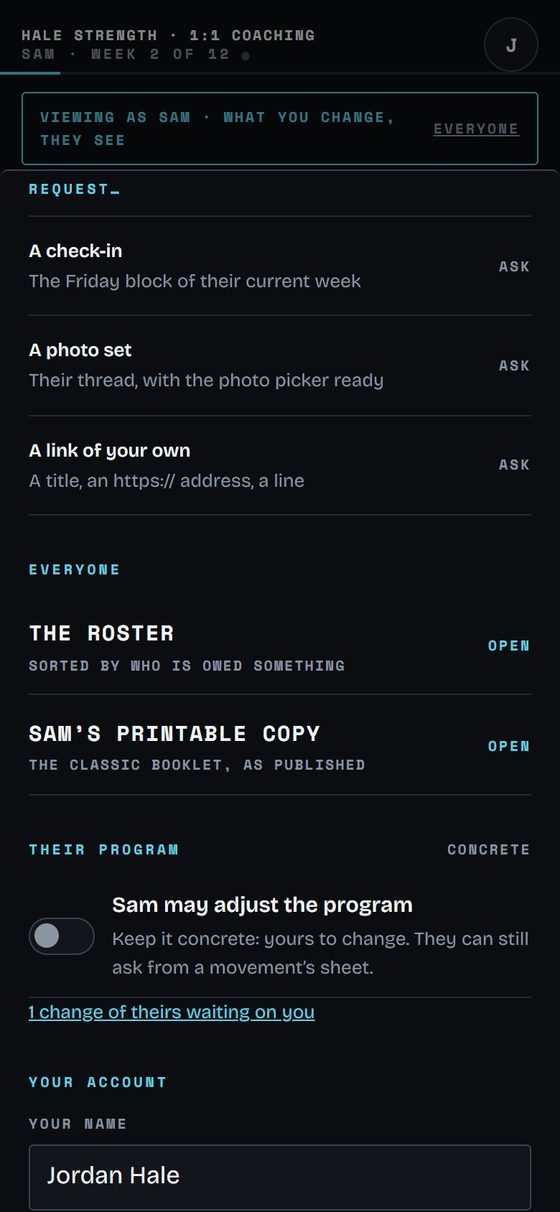
Ask for what you need.
From a client's page: a check-in, a photo set or a link of your own.
For your clients
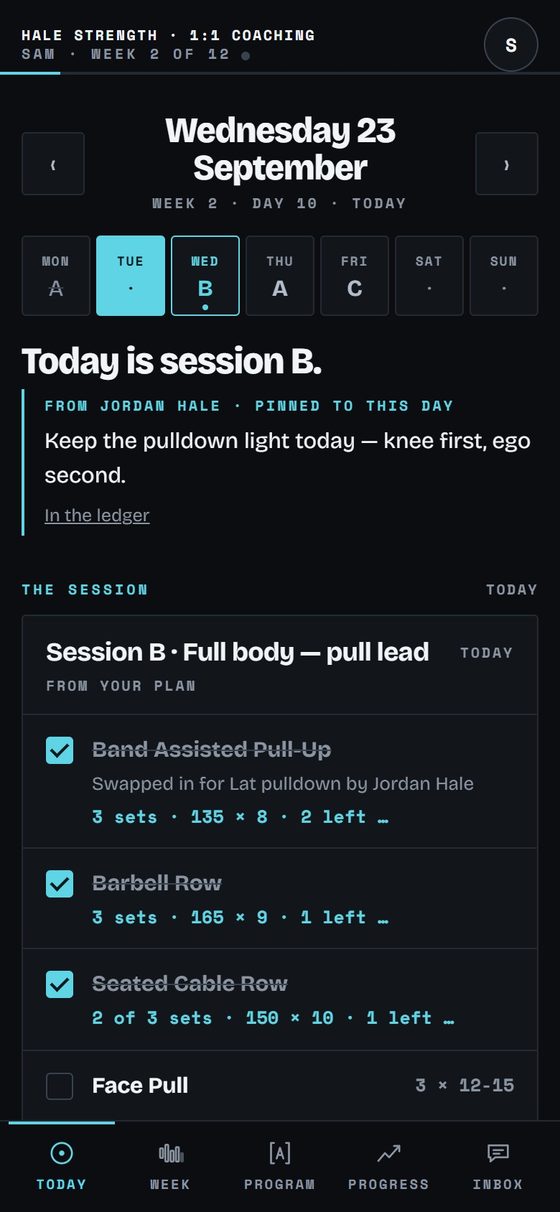
Train today's session.
The day's session as a card, with the coach's note pinned to it.
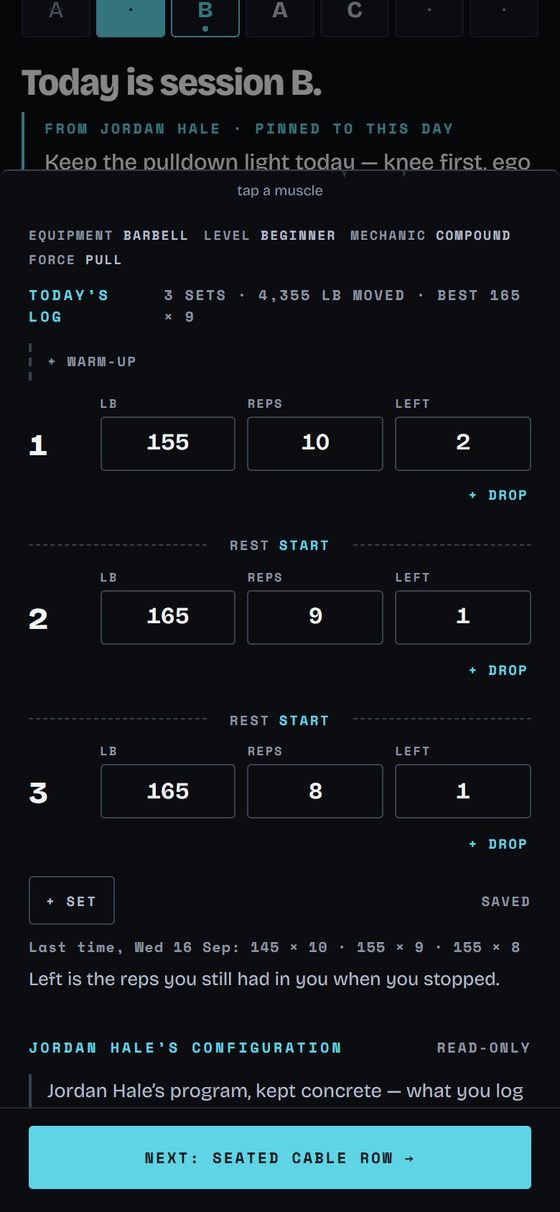
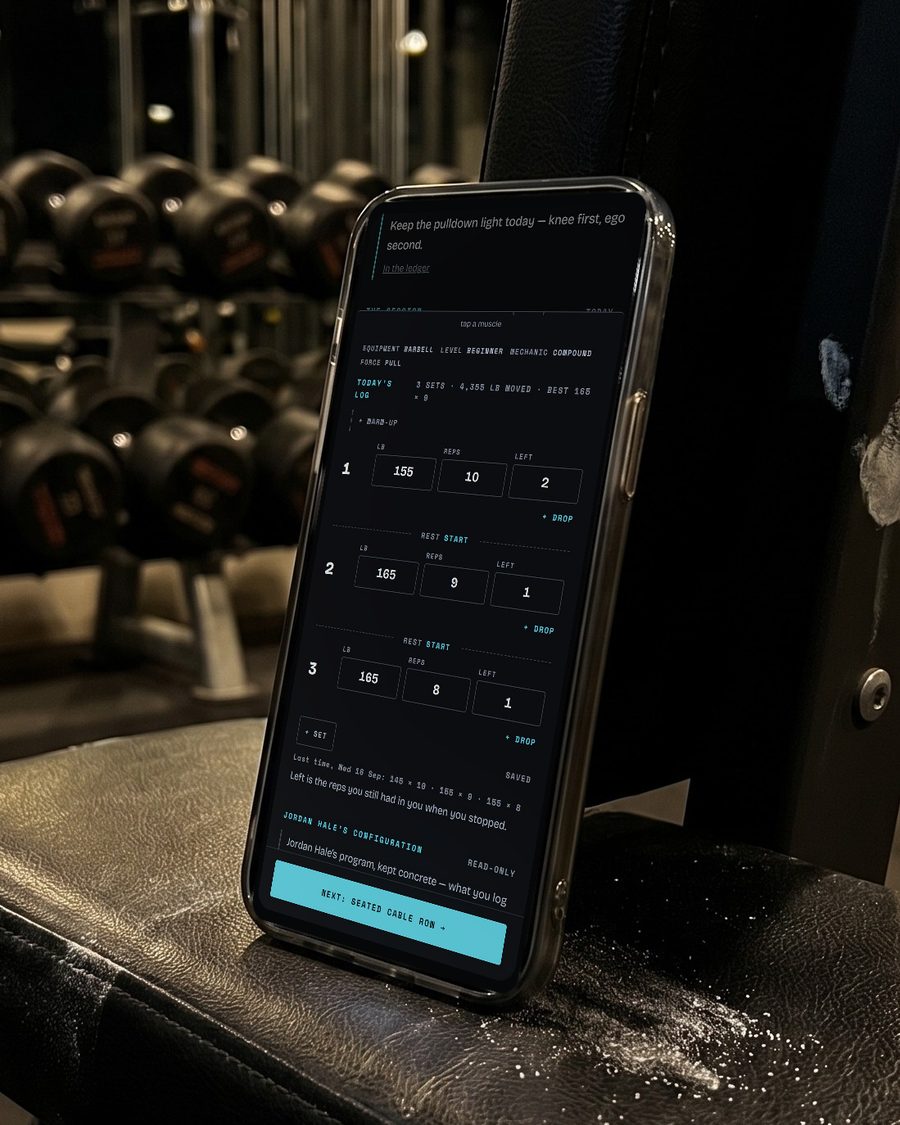
Beat last time, set by set.
Weight, reps and reps left for every set, with last time's sets under them.
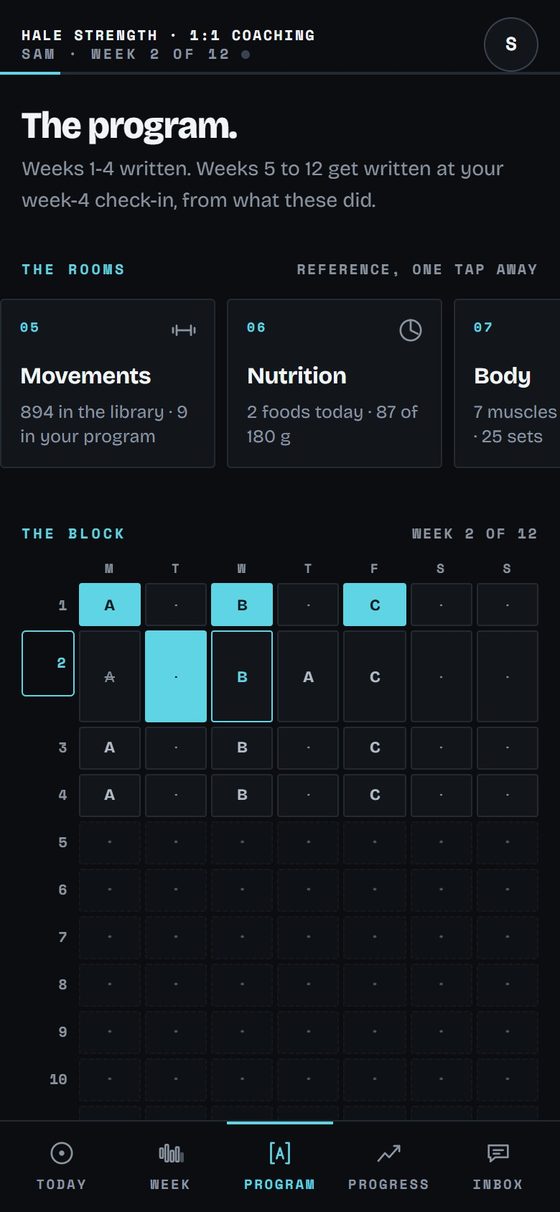
See the whole block.
Twelve weeks on one grid, with the movements, nutrition and body a tap away.
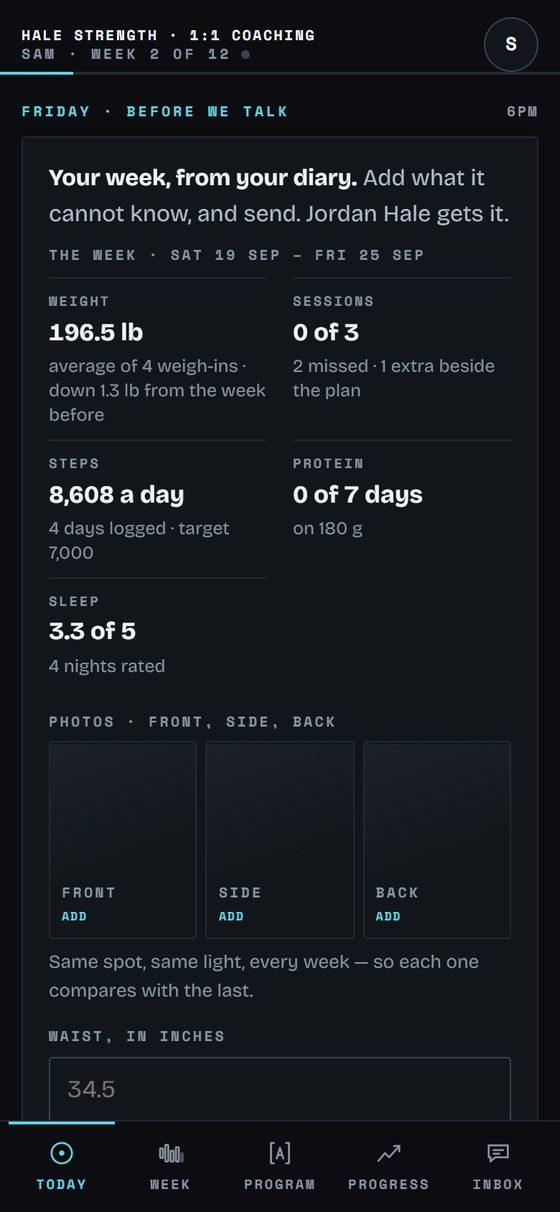
Check in without the typing.
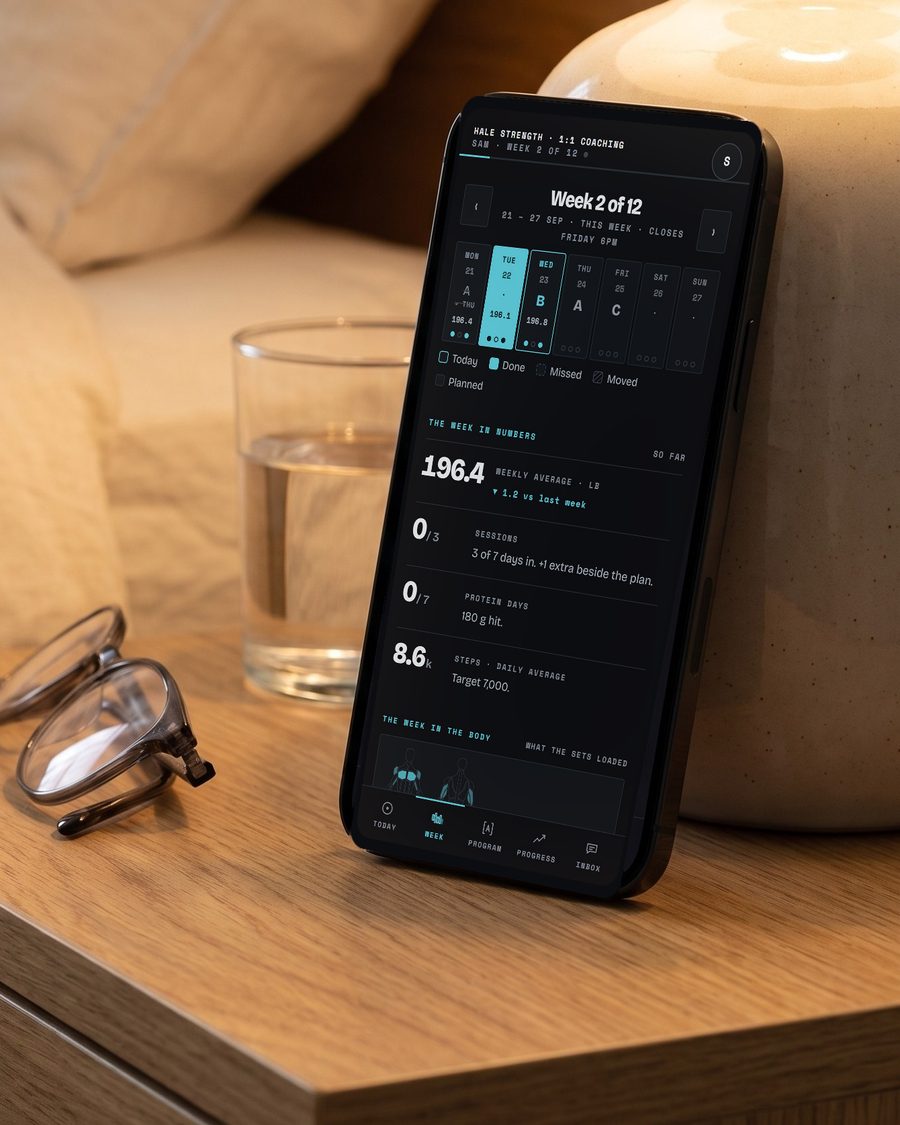
Friday's check-in, filled in from their week: weight, sessions, steps, protein and sleep.
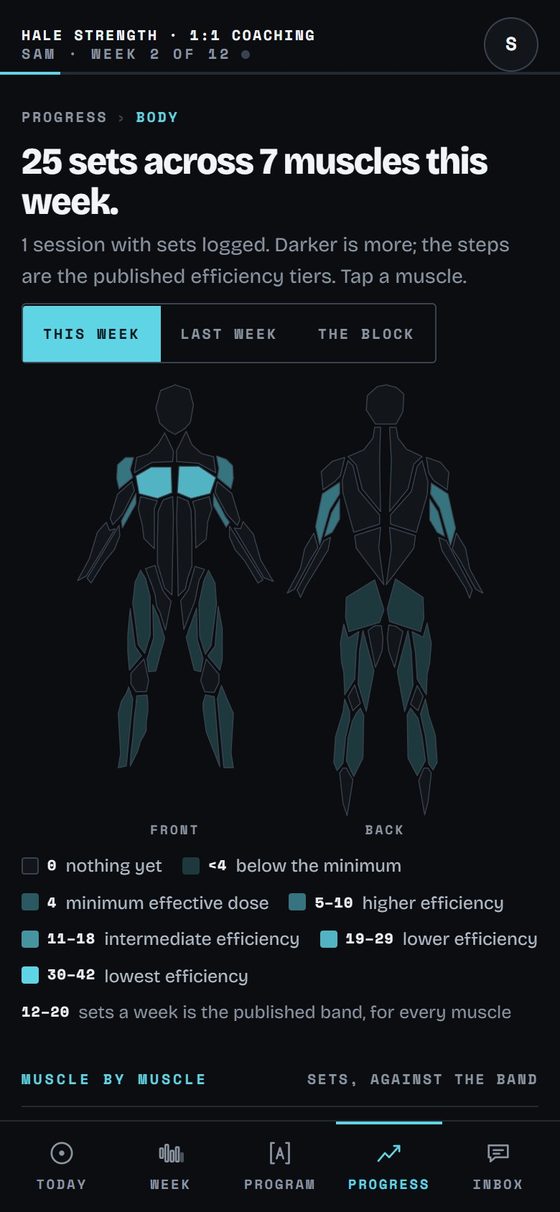
See the week on a body map.
Sets per muscle, front and back, against the published efficiency tiers.
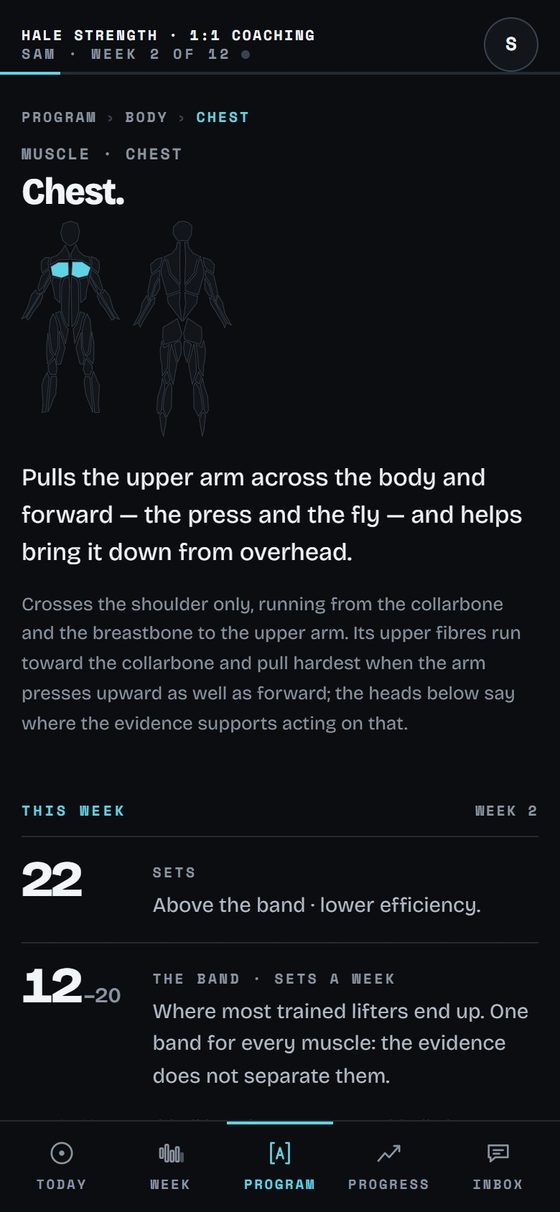
Open any muscle.
What it does, the week's sets, and the band most trained lifters end up in.
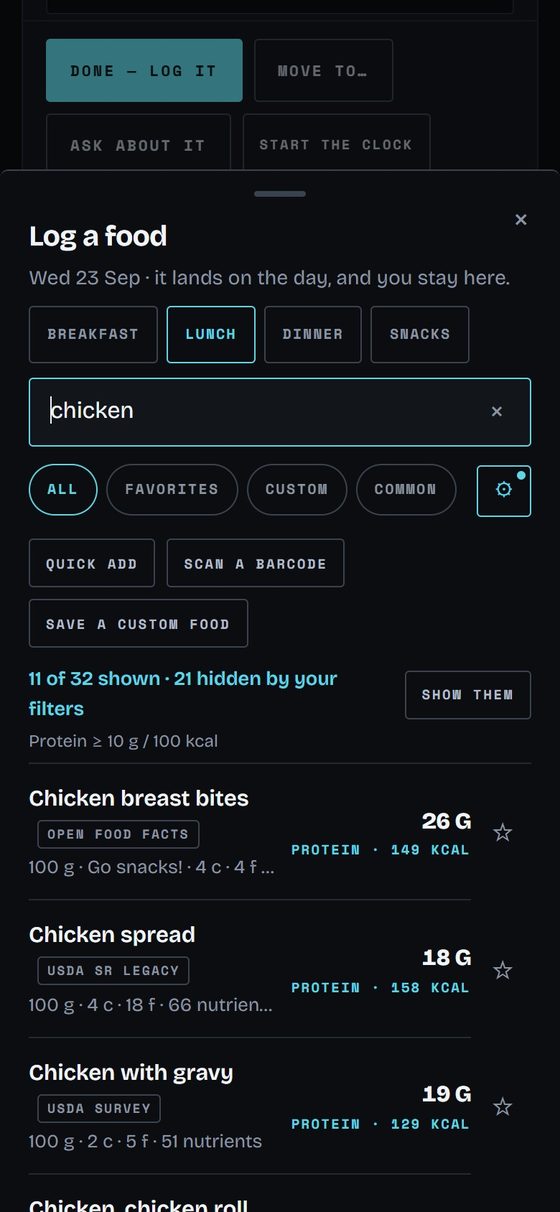
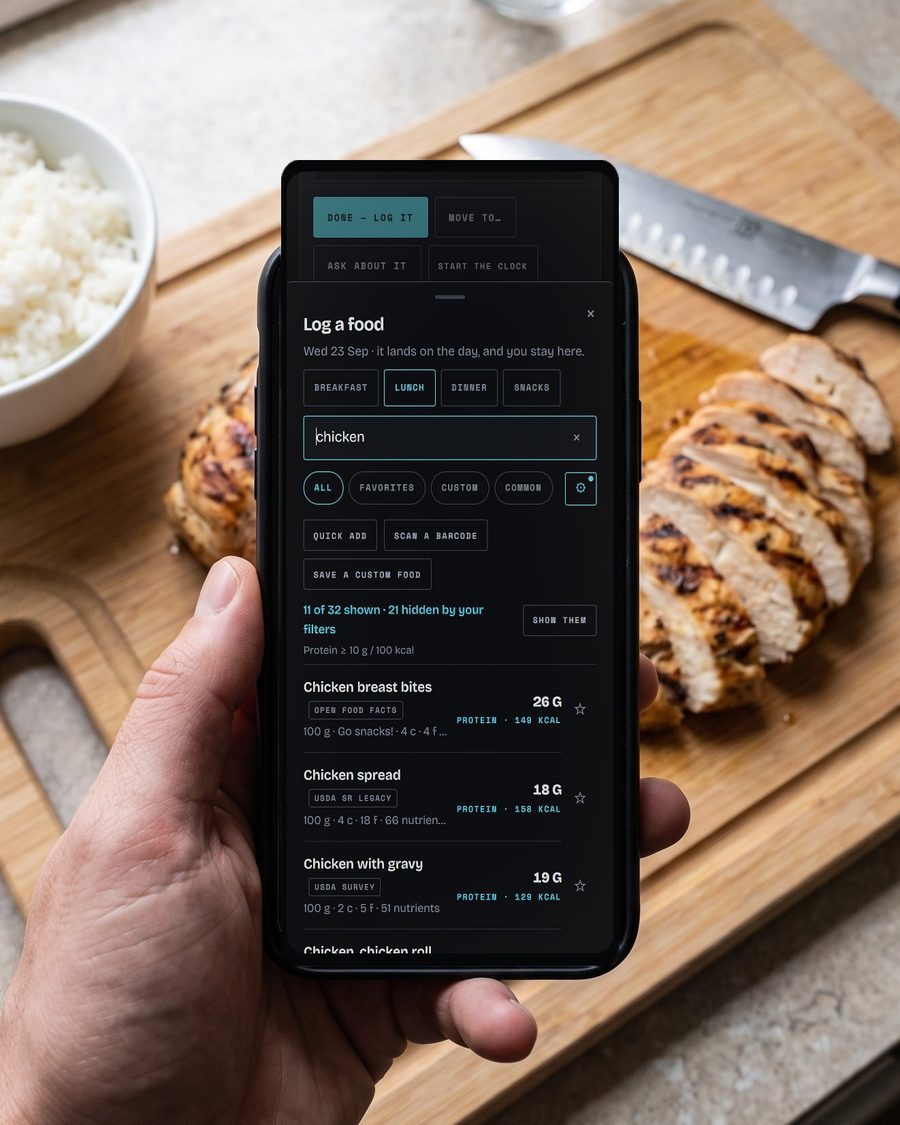
Search 4.8 million foods.
Open Food Facts and USDA in one search, with a protein filter and each food's nutrients.
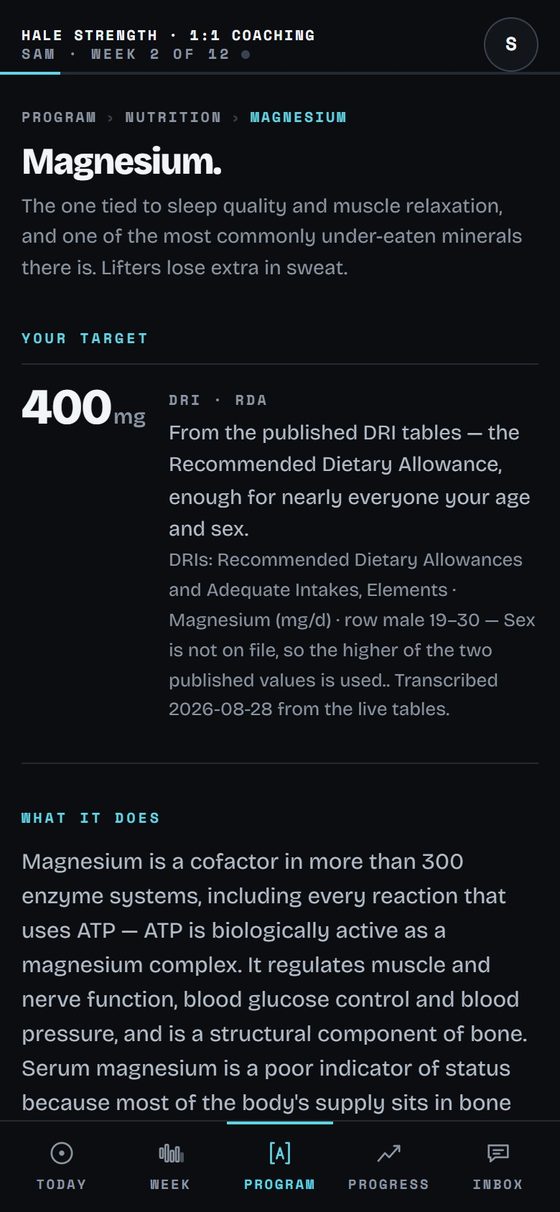
Know where every target comes from.
Each nutrient's target from the published DRI tables, and what it does.
More rooms, the week, progress and the inbox among them, are on the tour.
Founding coaches: $39 a month, forever. Only the first fifty.
What you pay
Your price stays flat as you grow. Theirs climbs.
Trainerize, TrueCoach, Everfit and Hevy Coach all charge more as your client list grows. Corner is $49 a month whether you coach four clients or four hundred.
At 25 active clients, Corner is the lowest price of the five. From 21 active clients up, none of the four publishes a price as low as Corner's, and the gap never narrows.
At 25 active clients, per month
Corner
$49TrueCoach
$137Trainerize
$71Everfit
$63Hevy Coach
$50Founding coaches: $39 a month, forever. Only the first fifty.
Row by row
Where Corner goes further.
Every row is live in Corner today, beside what their own websites say about the same thing: their sentence, linked and dated.
| What it does | Corner | Trainerize | TrueCoach | Everfit | Hevy Coach |
|---|---|---|---|---|---|
| Coaching | |||||
| Every change to the program kept, with who made it and when | ✓Kept, with Undo | –Not on their pages | –Not on their pages | –Not on their pages | –Not on their pages |
| The weekly check-in | ✓Filled in from their diary before they type | ✓Check-ins in FitMetrics, from $6 a client1 | ✓Daily check-ins3 | ✓Check-in forms4 | –Not on their pages |
| Your client's app | |||||
| Your client on a phone and on a computer | ✓The same app on both | ◑Web access with “limited functionality”5 | ✓A client web app6 | ◑An iOS and Android app; on the web, “the list of purchases made”7 | ✓A desktop view of their workouts9 |
| Last time's numbers, beside the set they are doing | ✓With an estimated one-rep max | –Not on their pages | –Not on their pages | ✓Weights and reps filled in from last time10 | ✓Previous bests and a 1RM, on a graph11 |
| Each week's sets per muscle, against the published range | ✓On a body map, against the range | –Not on their pages | –Not on their pages | –Not on their pages | ✓Sets per muscle group12 |
| Nutrition | |||||
| Log food from a food database | ✓Search Open Food Facts and USDA; scan barcodes on Android and iPhone | ✓Scan or search, in every plan13 | ✓Synced in from MyFitnessPal15 | ✓Scan a meal, barcode or label16 | –Not on their pages |
| Nutrients counted on every food | ✓92, each against its reference intake | ✓Calories, macros and micronutrients17 | ✓Calories and macros18 | ✓Fiber, sodium “and six more”19 | –Not on their pages |
| What each nutrient does, explained in the app | ✓Every one, with its source | –Not on their pages | –Not on their pages | –Not on their pages | –Not on their pages |
✓ their page names it ◑ named, with a limit in their own words – not on the pages we read, which is not the same as not having it
Where every cell comes from
- Trainerize “AI assistant, messenger, and check-ins” www.trainerize.com/pricing/, read 2026-09-13
- Trainerize “Starting as low as $6/client” www.trainerize.com/pricing/, read 2026-09-13
- TrueCoach “Build healthy routines with daily check-ins and lifestyle goals.” truecoach.co/features/compliance-tracking/, read 2026-09-13
- Everfit “The only tool you'll need to create and share any forms, from onboarding, check-ins, to client's feedback.” everfit.io/communication/, read 2026-09-13
- Trainerize “However, web access has limited functionality for clients compared to the mobile app.” help.trainerize.com/hc/en-us/articles/211162663-How-Do-Clients-Login-to-ABC-Trainerize, read 2026-09-13
- TrueCoach “You can add your logo as the header on all emails and pages of the client's web-app.” truecoach.co/features/custom-branded-fitness-app/, read 2026-09-13
- Everfit “Client App (iOS & Android)” everfit.io/pricing/, read 2026-09-13
- Everfit “You can log in to your web account at client.everfit.io/login to easily view the list of purchases made and manage payment details.” help.everfit.io/en/articles/6296342-client-manage-your-purchases, read 2026-09-13
- Hevy Coach “In addition to logging workouts on the phone or through a smartwatch, your clients will enjoy a full desktop view of their workouts.” hevycoach.com/features/client-app/, read 2026-09-13
- Everfit “Clients now start every session with weights and reps already filled in — pulled automatically from their past performance.” blog.everfit.io/everfit-may-2026-new-features, read 2026-09-13
- Hevy Coach “Your clients can click on any exercise to track their week to week progress and previous best performances (like a 1RM or best set volume), neatly displayed on a graph.” hevycoach.com/features/client-app/, read 2026-09-13
- Hevy Coach “The Advanced Statistics tab shows the number of sets done per muscle group, time spent training, and training volume.” hevycoach.com/features/client-tracker/, read 2026-09-13
- Trainerize “Clients can scan or search for foods in the meal library, and track them in the app.” www.trainerize.com/features/nutrition/, read 2026-09-13
- Trainerize “Client meal and macro tracking” www.trainerize.com/pricing/, read 2026-09-13
- TrueCoach “Your clients can connect their MyFitnessPal account to TrueCoach to automatically sync food logs, macronutrients, and calories.” truecoach.co/nutrition-coaching-features-in-truecoach/, read 2026-09-13
- Everfit “AI-powered meal scanning built inside Everfit. Clients scan any meal, barcode, or nutrition label and get macros logged instantly, no manual entry, no app switching.” everfit.io/nutrition/, read 2026-09-13
- Trainerize “Get USDA verified nutrition information and daily breakdowns of calories, macro and micronutrients.” www.trainerize.com/features/nutrition/, read 2026-09-13
- TrueCoach “Your clients can connect their MyFitnessPal account to TrueCoach to automatically sync food logs, macronutrients, and calories.” truecoach.co/nutrition-coaching-features-in-truecoach/, read 2026-09-13
- Everfit “Client food logs now track fiber, sodium, and six more” blog.everfit.io/august-2026-new-features-micronutrient-tracking-team-inbox-more, read 2026-09-13
Every cell is the sentence above, read 2026-09-13 and checked against their pages again on 2026-10-05.
The basics are here too: a program builder with templates, messages with files, a rest timer, and coaching from your phone. Corner has no add-ons. Everything it does is in the one price.
Founding coaches: $39 a month, forever. Only the first fifty.
What it does
01
Nutrition your clients will not outgrow.
Ninety-two nutrients, every one with a target from the National Academies' tables and an explanation you can read in the app. On Android and iPhone a food is logged by scanning its barcode, and on any phone or computer by searching Open Food Facts and USDA.
02
A logger that knows what they lifted last time.
Every set opens with the last time they did it and an estimated one-rep max beside it. A rest timer between sets.
03
A client side good enough to win you clients.
Your client's app is the same depth as yours, not a stripped companion. The weekly check-in arrives already filled in from what they logged.
04
Every change to the plan, on the record.
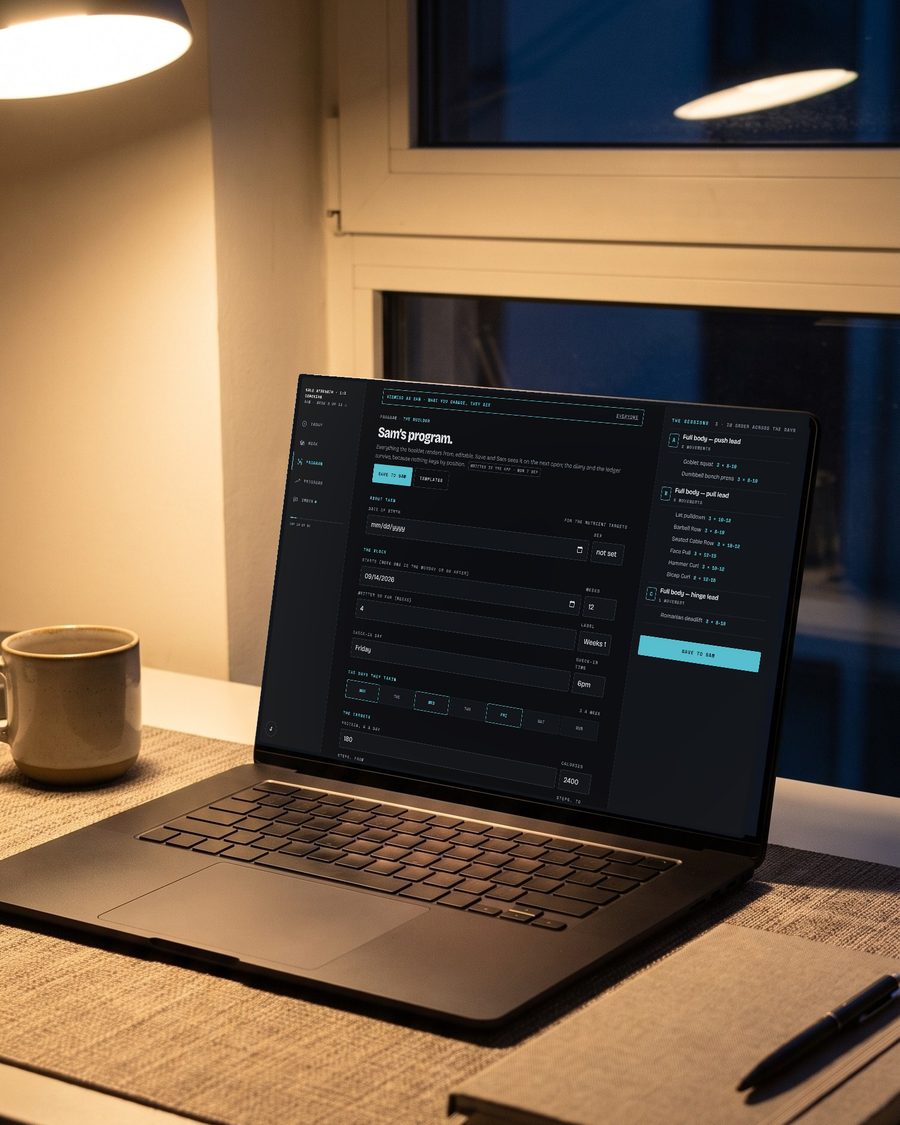
Every change to a program is kept, with who made it and when, and one tap undoes it. The roster, the week, the check-ins, the messages and the builder are the same rooms on a phone as on a desk.
The price
One price, and the two either side of it.
Founding coaches
Founding coaches lock $39 a month forever — the first fifty to sign up, within ninety days of launch. There is no code to find: it is applied when you sign up.
Free
$0foreverEvery core coaching feature, up to three active clients.
- Up to three active clients
- One coach seat
- The full nutrition engine
- Programs, check-ins and messages
Coach
$49a month · $490 a yearUnlimited clients. Everything included. Your price never rises because you grew.
- Unlimited active clients
- Everything in Free, with no history limit
- Fourteen days free with every Coach feature
Studio
$149a monthComing soon
Studio is $149 a month, for a practice with more than one coach in it. Coming soon.
- Three coach seats, $29 for each one after
- White-label
- Team permissions
- Advanced automation
Training on your own, with no coach? Corner Pro is $9.99 a month, or $89.99 a year. Your own page for taking on new clients is coming.
Questions
What happens when my trial ends?
With three active clients or fewer, you move to Free: the core features stay on and every client you already have stays readable, and your card is not charged. With more than three, you move to Coach on the card you added, at your price. Cancel online any time before day fifteen and you are never charged.
Will my price go up as I add clients?
No. Corner is $49 a month whether you coach four clients or four hundred. Going from twenty clients to forty on TrueCoach costs $948 more a year. That is $57.99 to $136.99 a month, both billed annually, read from their pricing page on October 5, 2026.
I use another coaching app now. Do I have to switch everything at once?
No. Run Corner beside what you use now for fourteen days, with every Coach feature on.
Can I take my data with me?
Yes. Any day, on any plan, one export from your account takes out everything in it — your roster, your templates and notes, your conversations and their files. Each of your clients takes their own diary, program and photos from theirs, without asking you. And you can delete your account from the same place: it is gone from the app at once and purged within 30 days.
Is there an app to download?
Yes. Open Corner in your phone's browser and add it to your home screen: it opens full screen, like any app, on iPhone and Android. Your clients do the same.
Do you take a cut of my coaching revenue?
No. Corner charges a flat price for the software, never a share of your business.
Coach your whole roster in one app, at one price.
Fourteen days free with every Coach feature, and nothing charged today. After that you pay only if you coach more than three clients; at three or fewer you move to Free.
Founding coaches: $39 a month, forever. Only the first fifty.